Quick answer
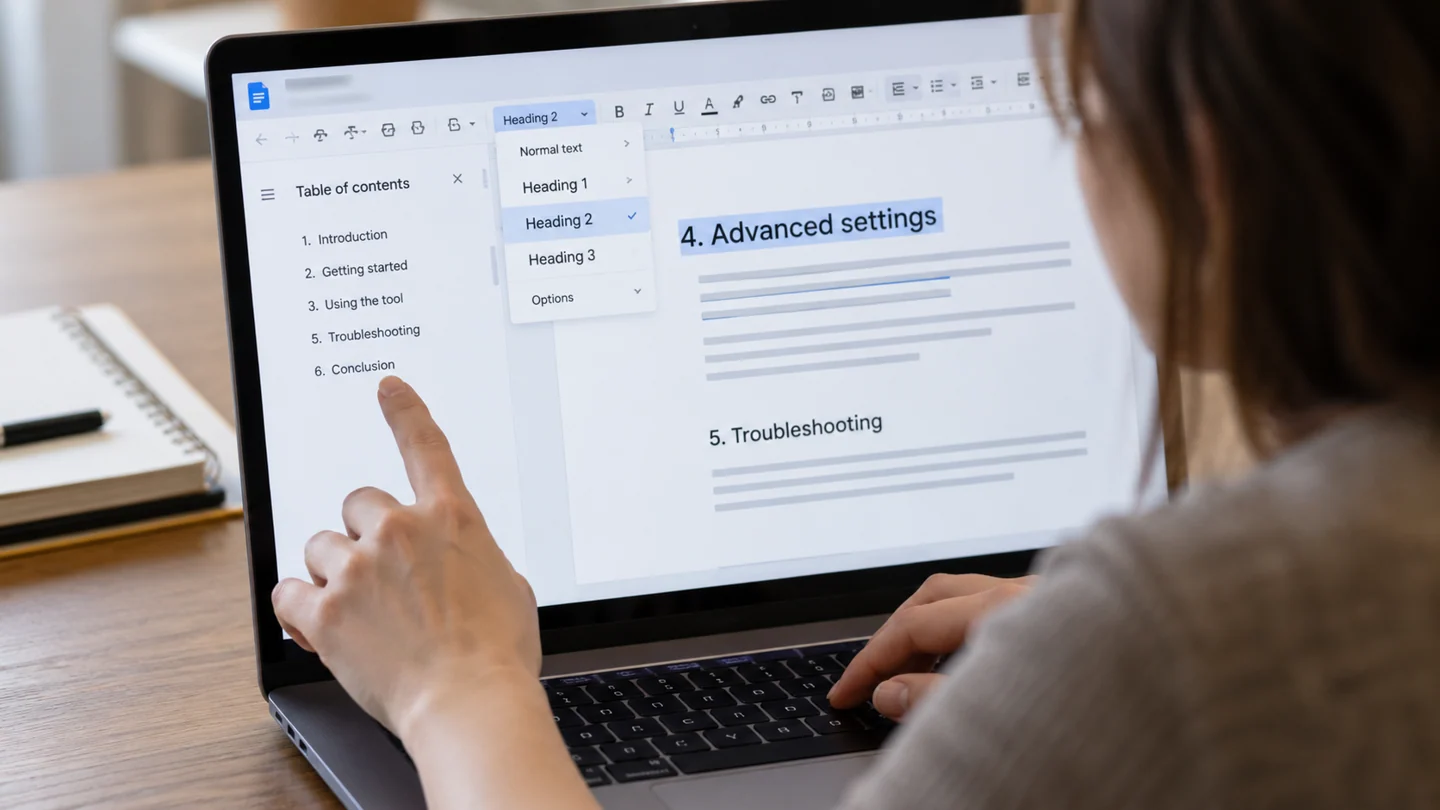
Apply the appropriate heading style rather than only enlarging or bolding the text. Then refresh the document's table of contents.
Understand the issue
Decide which levels should belong in the outline before restyling the whole report. A visually prominent title may still be normal text structurally. Test one missing heading and compare the resulting hierarchy.
Step-by-step checks
- Select the missing heading and inspect its style.
- Apply the intended heading level.
- Refresh the contents list and test the destination.
Need help with this issue?
Share your model and symptoms. Confirm availability and the quote before booking.
What the results mean
If the hierarchy is wrong, correct the source heading levels rather than repeatedly editing the generated list.
| Stage | Action |
|---|---|
| Start | Select the missing heading and inspect its style. |
| Compare | Apply the intended heading level. |
| Next step | Refresh the contents list and test the destination. |
Follow the link between the source file and the displayed result
Confirm the Google account and exact source document before changing a shared object. A chart, table or imported value can depend on another spreadsheet, a selected range or a separate permission. The document where the problem is visible is not always where the underlying correction belongs.
Choose one known record or object and follow it through the workflow. Check the source values, range, headers and any filters before updating the destination. If the source already looks wrong, refreshing a linked document normally repeats that problem. If the source looks correct but the destination does not, inspect the link and its update state.
Review the result as a reader would see it. Check labels, totals, formatting and whether the displayed information is appropriate for the document’s audience. A person may see the rendered contents of a shared object without having access to its original source. After changing a shared file, inspect version history if you need to understand what changed, and refresh any separately exported PDF rather than expecting an older download to update itself.
Before you finish
- Correct account and source file confirmed
- Source range and filters inspected
- Linked object and ordinary image distinguished
- Shared view and exported copy reviewed
Repair checklist
If you need help, send RJ Computers your device model and the results of the checks above. Explain what must be preserved before work starts, especially files that have no other copy.
- Confirm assessment charges and what the quote includes.
- Ask for approval before additional parts or destructive software changes.
- Test the original symptom at handover and keep the repair details.
Ready for an assessment?
Share your model and symptoms. Confirm availability and the quote before booking.
Frequently asked questions
Does making text bold automatically make it a heading?
No. Visual formatting and heading structure are different.
What should I record before requesting help?
Record the full model, exact error or symptom, recent changes and what you already tried. Explain whether important files have a separate backup.
How do I arrange a repair assessment?
Call RJ Computers on +91 99715 24677 or use the WhatsApp booking button. Confirm availability, diagnostic fees and the scope of work before booking.
Conclusion
If the hierarchy is wrong, correct the source heading levels rather than repeatedly editing the generated list.
Further reading: Official product guidance