Quick answer
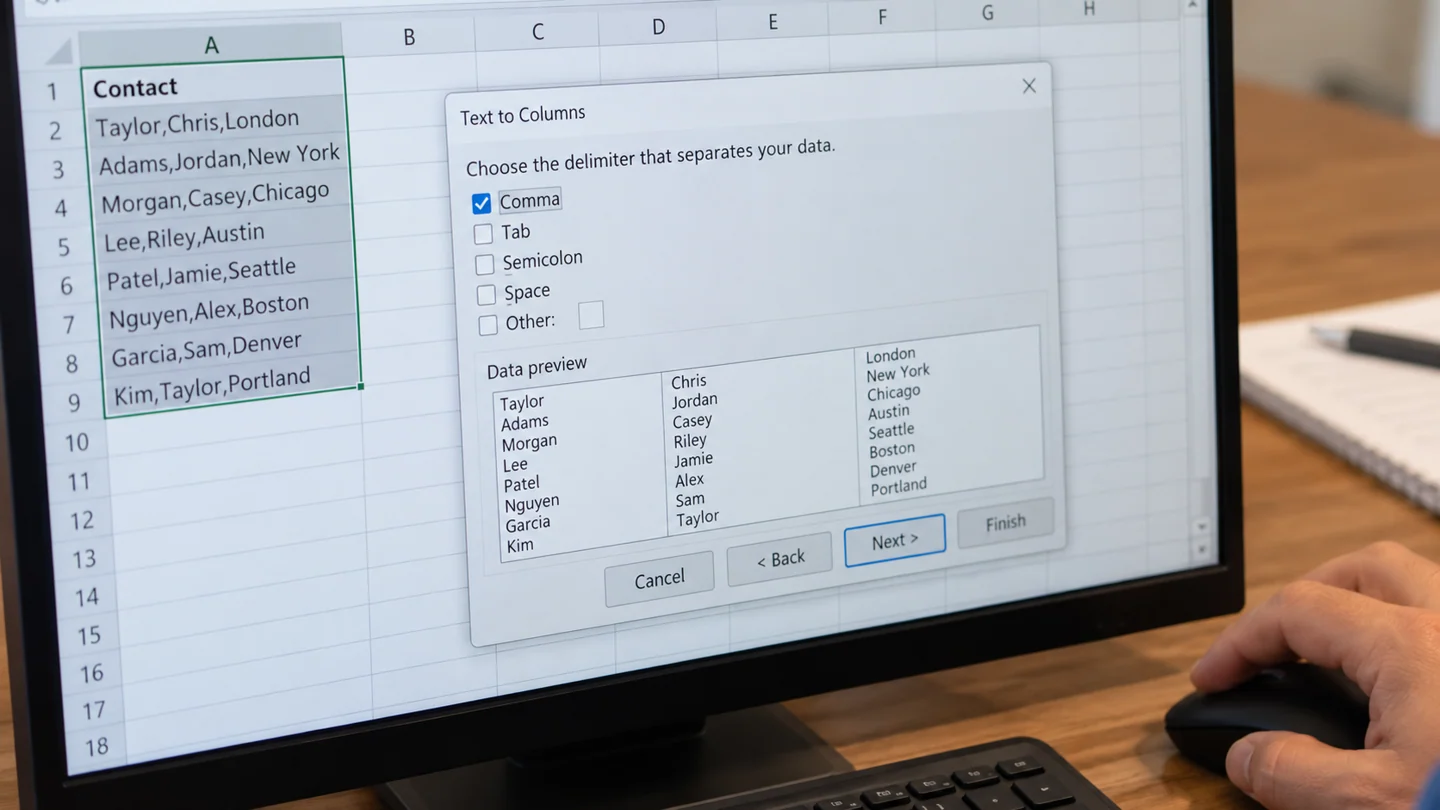
Use Text to Columns in desktop Excel when one column contains several fields separated by a consistent delimiter. Prepare empty destination columns first.
Understand the issue
An address can contain commas inside the address itself, so counting commas is not enough to guarantee a correct split. Keep the original column and inspect a few examples with different lengths before processing the full list.
Step-by-step checks
- Copy a small sample into a spare sheet.
- Use Text to Columns and inspect the delimiter preview.
- Choose a clear destination and inspect the resulting fields before repeating.
Need help with this issue?
Share your model and symptoms. Confirm availability and the quote before booking.
What the results mean
Unexpected extra columns usually mean the delimiter also appears inside a value. Resolve that pattern before bulk conversion.
| Stage | Action |
|---|---|
| Start | Copy a small sample into a spare sheet. |
| Compare | Use Text to Columns and inspect the delimiter preview. |
| Next step | Choose a clear destination and inspect the resulting fields before repeating. |
Check the workbook’s structure as well as the visible result
Work on a separate copy when the workbook supports invoices, stock, payroll or a shared report. A cell’s appearance is only one layer: its stored value, formula, number format and validation rule can differ. Record the affected worksheet and one example cell so you can compare the same case after each change.
Use a small, known example to test the intended behaviour. Check one ordinary row, one blank and one unusual value rather than judging a whole report from its grand total. If the workbook imports data, correct the import or source definition where possible; repeatedly correcting the final display can leave the same problem waiting for the next refresh.
Before sharing the result, check formulas that depend on the changed area and any charts or PivotTables fed by it. Save, close and reopen a working copy, then verify the same example. Mention any deliberate conversion of text, dates or identifiers so another user does not reverse it accidentally. If a colleague owns the workbook, agree changes to validation, protection and calculation settings rather than silently changing the model.
Before you finish
- Affected sheet and sample cell
- Original value compared with expected value
- Source, formula and display checked separately
- Dependent reports tested after saving
Repair checklist
If you need help, send RJ Computers your device model and the results of the checks above. Explain what must be preserved before work starts, especially files that have no other copy.
- Confirm assessment charges and what the quote includes.
- Ask for approval before additional parts or destructive software changes.
- Test the original symptom at handover and keep the repair details.
Ready for an assessment?
Share your model and symptoms. Confirm availability and the quote before booking.
Frequently asked questions
Should I split full names at every space?
Not automatically. People can have multiple given names or surnames, so review the pattern and intended fields first.
What should I record before requesting help?
Record the full model, exact error or symptom, recent changes and what you already tried. Explain whether important files have a separate backup.
How do I arrange a repair assessment?
Call RJ Computers on +91 99715 24677 or use the WhatsApp booking button. Confirm availability, diagnostic fees and the scope of work before booking.
Conclusion
Unexpected extra columns usually mean the delimiter also appears inside a value. Resolve that pattern before bulk conversion.
Further reading: Official product guidance