Quick answer
A separating or stiff hinge needs inspection of its mounting points as well as the hinge. Forcing the lid can damage the case, screen and display cable.
Understand the issue
This guide covers laptop palmrest replacement. The useful starting point is to establish what happens, when it happens and whether recent changes are involved. Keep the original symptom separate from a proposed repair: a symptom alone rarely identifies the exact part or setting at fault.
Useful details to discuss
- Initial fault diagnosis and symptom assessment
- Component or software testing
- Repair, replacement, installation or configuration where appropriate
- Performance and stability checks after service
- Advice on backup, maintenance and prevention
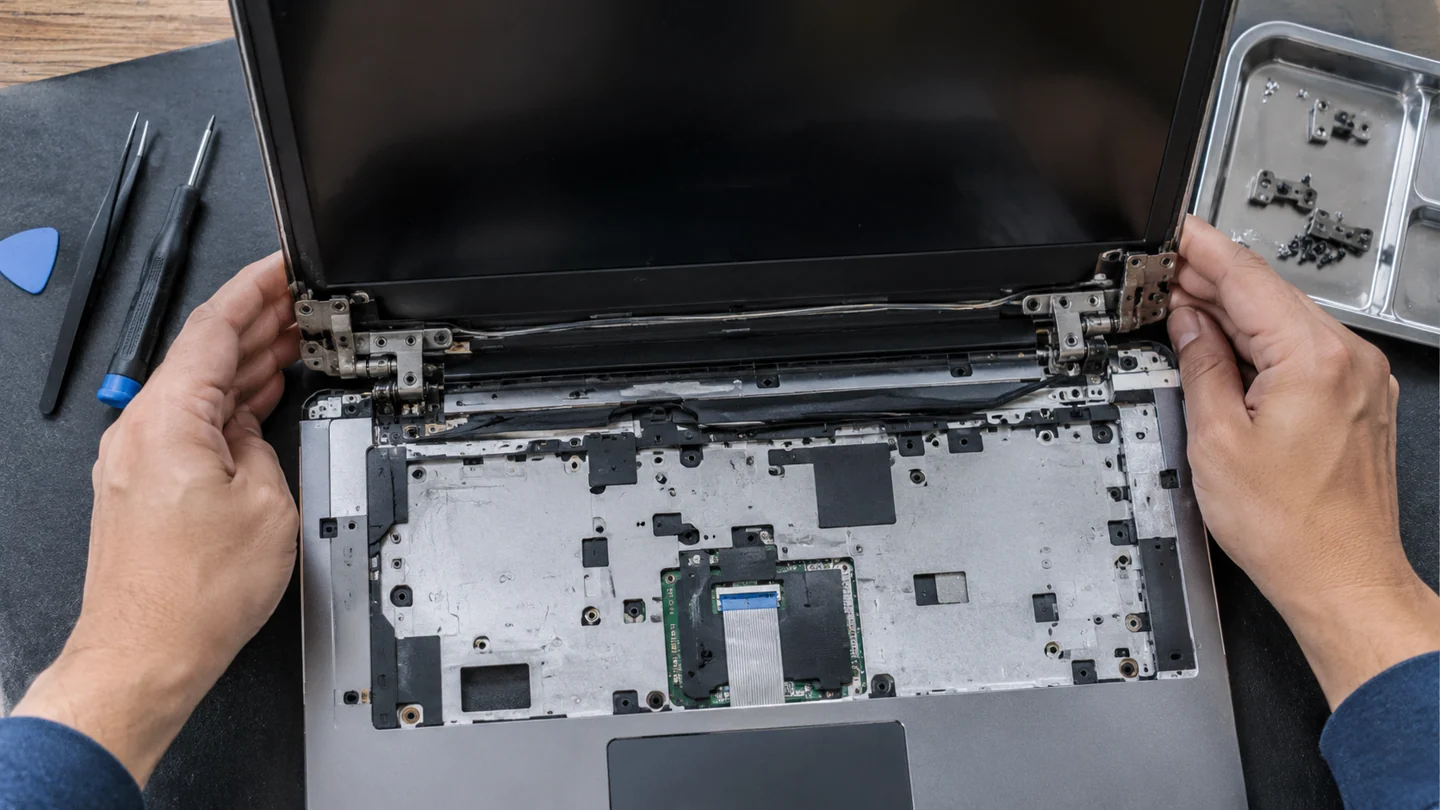
Step-by-step checks
- Reduce lid movement and support the screen.
- Photograph cracks and separation.
- Ask which case parts, mounts and cables are included in the assessment.
Need help with this issue?
Share your model and symptoms. Confirm availability and the quote before booking.
What the results mean
Welding is not suitable for every laptop body. The repair method depends on the actual material and where the structure failed.
| Stage | Action |
|---|---|
| Start | Reduce lid movement and support the screen. |
| Compare | Photograph cracks and separation. |
| Next step | Ask which case parts, mounts and cables are included in the assessment. |
Use a controlled Windows check before a broad reset
Record the Windows version, exact message and recent change before troubleshooting. A setting in Windows 10 can differ from its Windows 11 equivalent, and a work-managed PC may restrict options intentionally. Identify whether the issue affects one app, one account or the whole machine.
Make a small comparison that matches the symptom. Try the same task in another suitable app or with a known-good file where practical, and note what changes. Keep important work saved before restarting. If the computer is unstable or storage reports errors, preserve accessible data before long tests or major repairs. Screenshots should show the relevant message without passwords, recovery keys or unrelated private information.
Change one relevant setting or component at a time and repeat the original task. Prefer supported Windows and manufacturer tools over downloaded fix-all scripts or registry cleaners. A reset, reinstall or account removal can affect apps, settings and data, so it should be a deliberate later step with a verified recovery plan. After a correction, check normal restart, updates and required applications rather than stopping at a single successful click.
Before you finish
- Windows version and recent changes recorded
- One app or account distinguished from system-wide failure
- Important work protected before larger changes
- Original task and normal restart verified
Repair checklist
If you need help, send RJ Computers your device model and the results of the checks above. Explain what must be preserved before work starts, especially files that have no other copy.
- Confirm assessment charges and what the quote includes.
- Ask for approval before additional parts or destructive software changes.
- Test the original symptom at handover and keep the repair details.
Ready for an assessment?
Share your model and symptoms. Confirm availability and the quote before booking.
Frequently asked questions
Can a new hinge fix every broken laptop lid?
No. Damaged mounts or case panels may also need repair so the hinge can be held securely.
What should I record before requesting help?
Record the full model, exact error or symptom, recent changes and what you already tried. Explain whether important files have a separate backup.
How do I arrange a repair assessment?
Call RJ Computers on +91 99715 24677 or use the WhatsApp booking button. Confirm availability, diagnostic fees and the scope of work before booking.
Conclusion
Start with the evidence and compare it with the symptom before choosing a repair. Welding is not suitable for every laptop body. The repair method depends on the actual material and where the structure failed. If the checks do not explain the problem, share your observations and ask for an assessment before approving work.