Quick answer
Large images can make a presentation difficult to share. Compress pictures in a separate delivery copy and check readability afterward.
Understand the issue
Keep an editable master at original quality. Photographs and screenshots respond differently to compression: small labels in a screenshot can become unreadable while a photograph still looks acceptable. Test a representative slide at presentation size before changing every image.
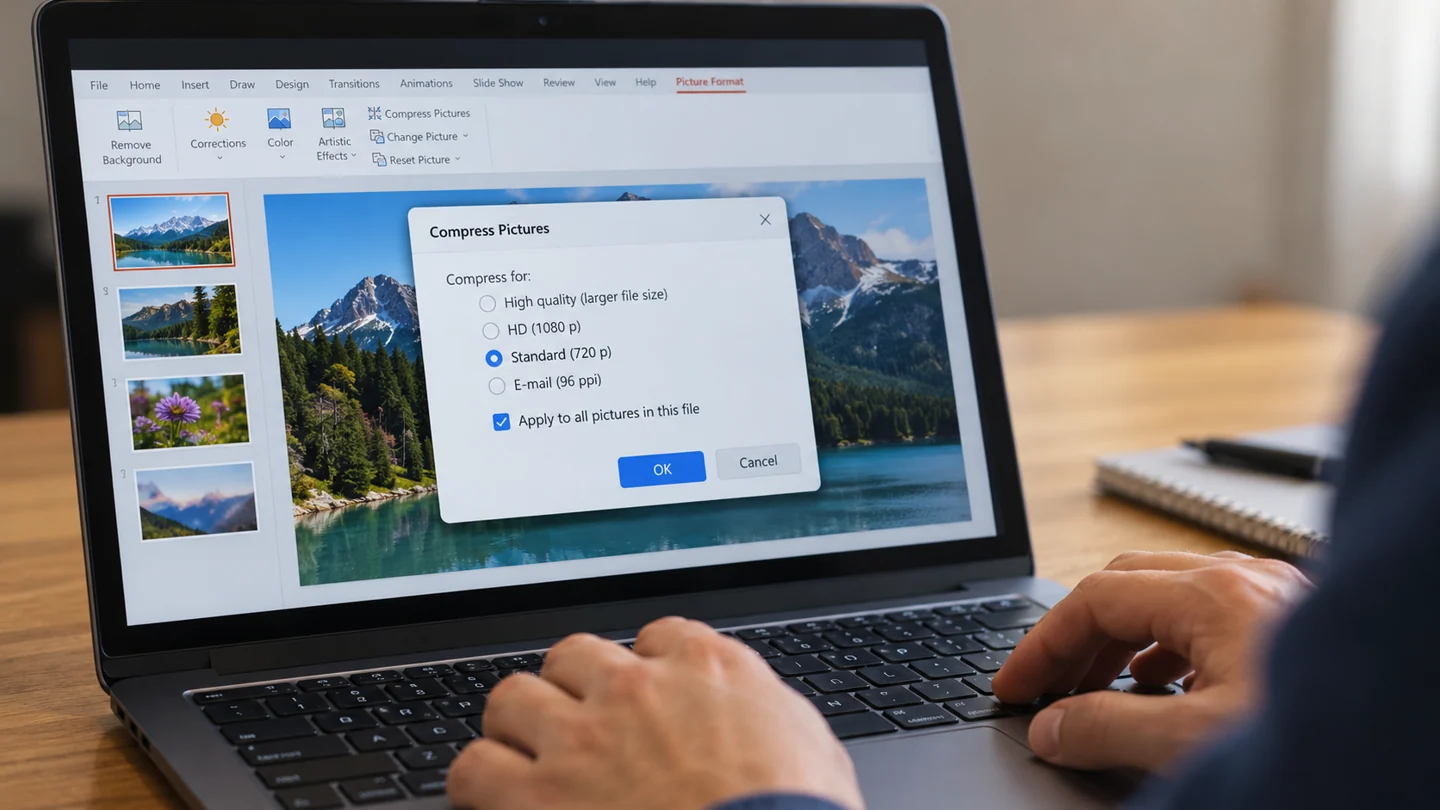
Step-by-step checks
- Save a delivery copy under a new name.
- Use picture compression with settings suited to the intended display.
- Inspect text in images and compare the resulting file size.
Need help with this issue?
Share your model and symptoms. Confirm availability and the quote before booking.
What the results mean
If size remains excessive, identify other large assets rather than repeatedly reducing image quality.
| Stage | Action |
|---|---|
| Start | Save a delivery copy under a new name. |
| Compare | Use picture compression with settings suited to the intended display. |
| Next step | Inspect text in images and compare the resulting file size. |
Check the presentation in the format people will actually use
Save a copy of the presentation before changing layout, output settings or embedded media. Note the PowerPoint version and whether the deck depends on external fonts, linked files or an online service. A presentation that works on the author’s computer may rely on something not included in the delivered file.
Choose representative slides for testing: a title slide, one with dense text, one with an image or chart and any slide containing media. Review them at presentation size rather than only in the editing thumbnail pane. If a change affects slide dimensions or printing, inspect both the application preview and the physical display or printer that will be used.
Reopen the delivery copy and run the intended workflow from beginning to end. Check readable text, complete images, working media and the correct slide order. For a PDF or handout, verify that export settings match the purpose; an editing file, projected show and printed handout are separate outputs. Retain the original deck and record any linked assets that recipients must also receive through an approved sharing method.
Before you finish
- Original deck preserved
- Representative slide types selected
- Linked and embedded content distinguished
- Slideshow, export or printed result tested
Repair checklist
If you need help, send RJ Computers your device model and the results of the checks above. Explain what must be preserved before work starts, especially files that have no other copy.
- Confirm assessment charges and what the quote includes.
- Ask for approval before additional parts or destructive software changes.
- Test the original symptom at handover and keep the repair details.
Ready for an assessment?
Share your model and symptoms. Confirm availability and the quote before booking.
Frequently asked questions
Can deleted cropped image areas be restored later?
Not from that compressed copy if they were removed. Keep the original master file.
What should I record before requesting help?
Record the full model, exact error or symptom, recent changes and what you already tried. Explain whether important files have a separate backup.
How do I arrange a repair assessment?
Call RJ Computers on +91 99715 24677 or use the WhatsApp booking button. Confirm availability, diagnostic fees and the scope of work before booking.
Conclusion
If size remains excessive, identify other large assets rather than repeatedly reducing image quality.
Further reading: Official product guidance