Quick answer
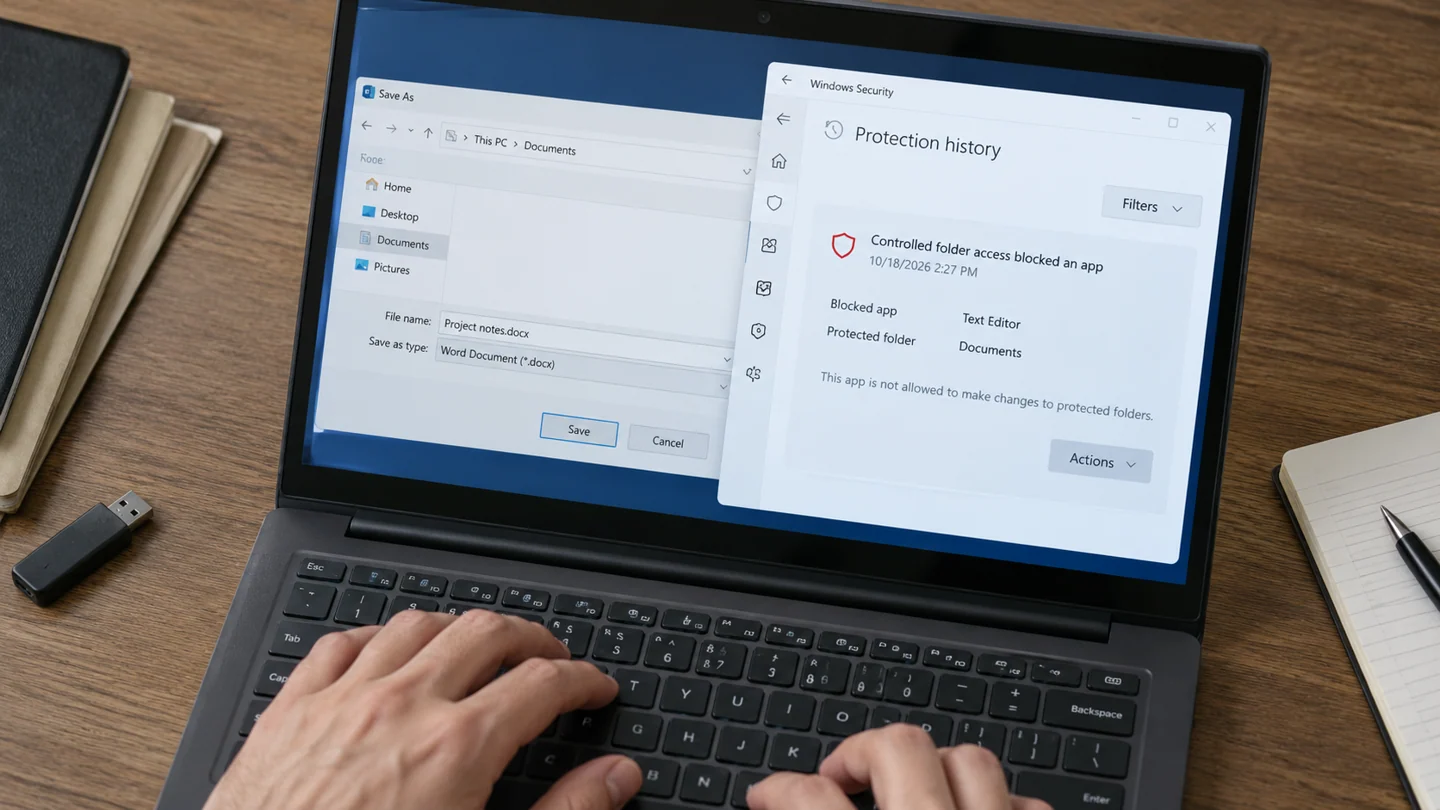
Check whether Controlled folder access recorded the blocked action. A security block is different from a full disk or ordinary folder permission problem.
Understand the issue
Keep the app's exact name and executable location. Verify its publisher and installation source before allowing access. A familiar icon alone is insufficient because an unrelated program can use similar branding. Work-managed protection may require an administrator.
Step-by-step checks
- Read the protection notification or history.
- Confirm the intended app is trusted and needs that folder.
- Use an approved specific exception or save to an appropriate alternative location.
Need help with this issue?
Share your model and symptoms. Confirm availability and the quote before booking.
What the results mean
Avoid disabling ransomware protection globally to solve one blocked save operation.
| Stage | Action |
|---|---|
| Start | Read the protection notification or history. |
| Compare | Confirm the intended app is trusted and needs that folder. |
| Next step | Use an approved specific exception or save to an appropriate alternative location. |
Protect account access and important files during the investigation
Identify the exact warning, affected application and time the issue began. An unwanted browser change, an account sign-in alert and a hardware fault need different responses. Avoid entering sensitive account information into a page simply because a popup claims it is required to repair the computer.
Use the operating system’s supported security tools and software obtained from an official publisher. Preserve useful evidence without sharing passwords, recovery codes or private customer information. For a managed work device, report the symptom through the organisation’s normal process before removing security products or changing required policies.
Check the outcome beyond the disappearance of a warning. Review whether normal updates work, the unwanted behaviour returns and the affected account remains under your control. If credentials may have been exposed, use the service’s official account-recovery and security settings through a trusted device. Keep important files backed up, but avoid treating an unreviewed copy of suspicious software as something to restore automatically. Do not disable protection permanently to make a symptom disappear.
Before you finish
- Exact warning and recent changes recorded
- Official security tools used
- Credentials kept private
- Account and device behaviour checked afterwards
Repair checklist
If you need help, send RJ Computers your device model and the results of the checks above. Explain what must be preserved before work starts, especially files that have no other copy.
- Confirm assessment charges and what the quote includes.
- Ask for approval before additional parts or destructive software changes.
- Test the original symptom at handover and keep the repair details.
Ready for an assessment?
Share your model and symptoms. Confirm availability and the quote before booking.
Frequently asked questions
Is an antivirus exclusion identical to allowing Controlled folder access?
No. Use the control relevant to the documented block rather than applying broad exclusions.
What should I record before requesting help?
Record the full model, exact error or symptom, recent changes and what you already tried. Explain whether important files have a separate backup.
How do I arrange a repair assessment?
Call RJ Computers on +91 99715 24677 or use the WhatsApp booking button. Confirm availability, diagnostic fees and the scope of work before booking.
Conclusion
Avoid disabling ransomware protection globally to solve one blocked save operation.
Further reading: Official product guidance