Quick answer
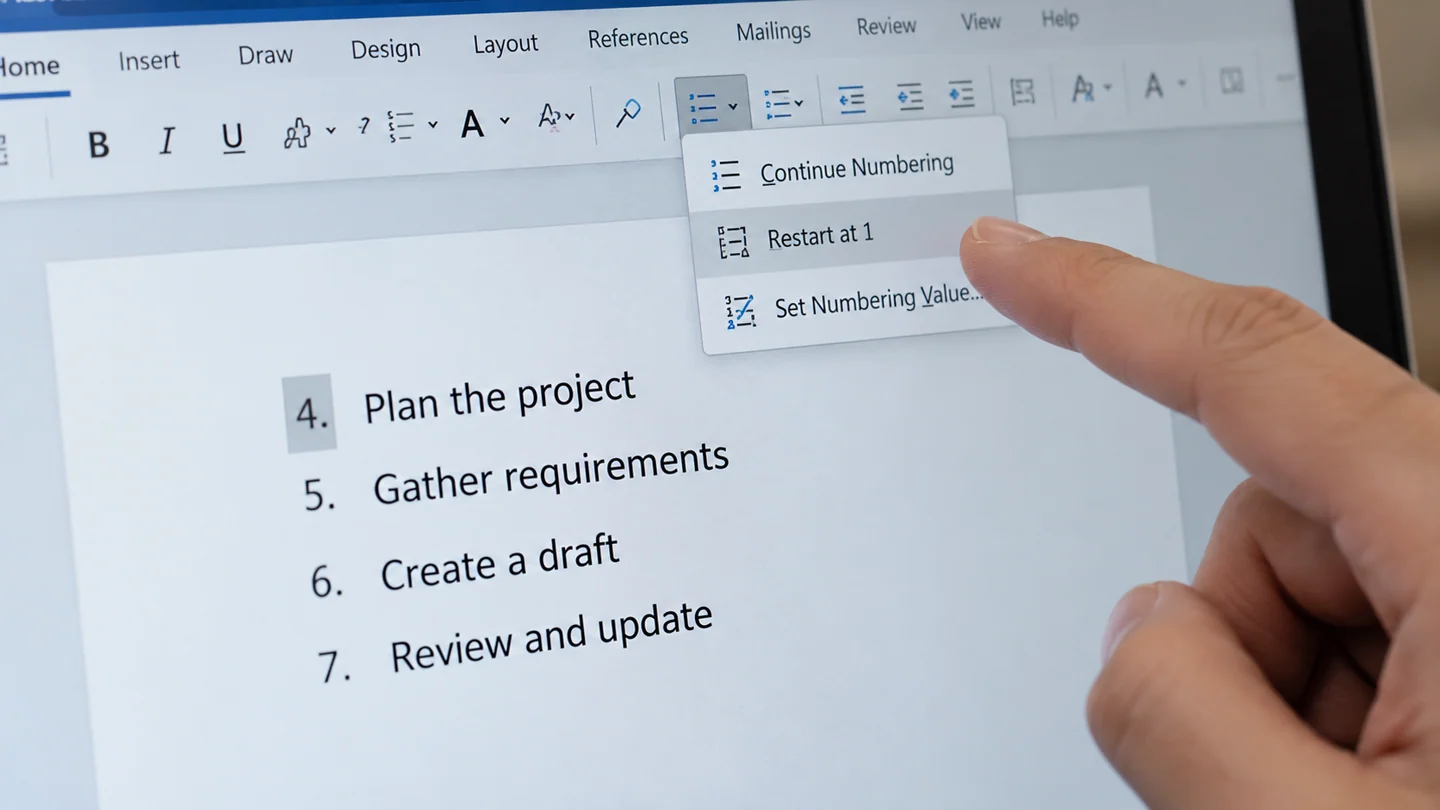
Use the list numbering controls to restart or continue numbering. Typing over a visible number can undermine the automatic list structure.
Understand the issue
First decide whether this is a new list or a continuation after explanatory text. Keep multi-level headings separate from a simple numbered procedure. Test the setting on one list before changing the entire document's styles.
Step-by-step checks
- Select the affected list number.
- Choose the appropriate restart or numbering-value command.
- Add and remove a test item to confirm the sequence behaves correctly.
Need help with this issue?
Share your model and symptoms. Confirm availability and the quote before booking.
What the results mean
If several sections are inconsistent, review the list structure rather than manually typing every number.
| Stage | Action |
|---|---|
| Start | Select the affected list number. |
| Compare | Choose the appropriate restart or numbering-value command. |
| Next step | Add and remove a test item to confirm the sequence behaves correctly. |
Preserve document structure while checking the fix
Keep an untouched copy before changing a document used for signatures, submissions or shared review. Confirm whether you are editing a local attachment, the current shared file or an older downloaded version. These can look alike while containing different comments, formatting and access conditions.
Test on a short representative passage first. Include a heading, a body paragraph and any list or table relevant to the issue. Word stores paragraph styles, section settings and direct formatting separately, so a visible improvement in one paragraph does not prove the rest of the document is consistent. For shared files, consider what other reviewers will see rather than only your own current view.
Check the final delivery format separately. A PDF export, printed copy or document opened in another Word version can present review marks, fonts and page flow differently. Reopen the saved result and inspect page breaks, headings and any required feedback. Keep the original until the delivery copy is accepted. For password or permission problems, use an authorised access route; layout and formatting tools do not replace the owner’s approval.
Before you finish
- Correct document version identified
- Original and working copy kept separate
- Representative paragraphs and review content checked
- Saved file and final export inspected
Repair checklist
If you need help, send RJ Computers your device model and the results of the checks above. Explain what must be preserved before work starts, especially files that have no other copy.
- Confirm assessment charges and what the quote includes.
- Ask for approval before additional parts or destructive software changes.
- Test the original symptom at handover and keep the repair details.
Ready for an assessment?
Share your model and symptoms. Confirm availability and the quote before booking.
Frequently asked questions
Should I replace automatic numbers with typed digits to fix one mistake?
Use the numbering controls first so later insertions can still update the sequence.
What should I record before requesting help?
Record the full model, exact error or symptom, recent changes and what you already tried. Explain whether important files have a separate backup.
How do I arrange a repair assessment?
Call RJ Computers on +91 99715 24677 or use the WhatsApp booking button. Confirm availability, diagnostic fees and the scope of work before booking.
Conclusion
If several sections are inconsistent, review the list structure rather than manually typing every number.
Further reading: Official product guidance