Quick answer
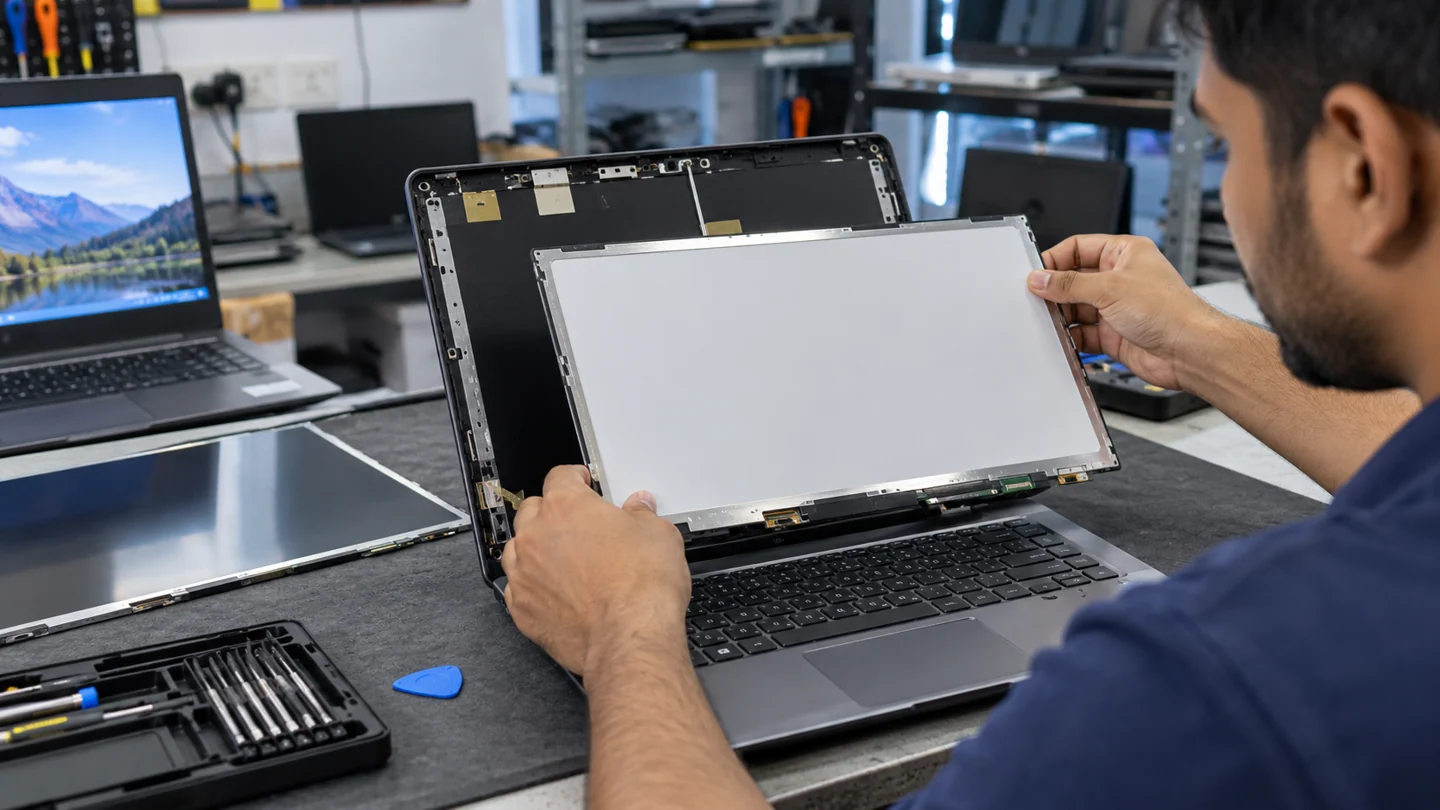
Match a replacement panel to the laptop specification, not just its diagonal size. Confirm whether the problem is the panel, cable or graphics path before ordering it.
Understand the issue
This guide covers affordable laptop screen replacement in delhi. The useful starting point is to establish what happens, when it happens and whether recent changes are involved. Keep the original symptom separate from a proposed repair: a symptom alone rarely identifies the exact part or setting at fault.
Useful details to discuss
- Confirm the exact symptom and when it started
- Check power, cables and visible physical damage where safe
- Note any error message, sound, heat or intermittent behaviour
- Back up important files before non-essential repair work
- Use a technician for internal component, liquid-damage or board-level work
Step-by-step checks
- Record the exact model and touch-screen capability.
- Describe cracks, lines, flicker or darkness.
- Confirm the panel specification, labour and written warranty terms.
Need help with this issue?
Share your model and symptoms. Confirm availability and the quote before booking.
What the results mean
A low quote may cover a different resolution or non-touch panel. Compare equivalent parts and included work.
| Stage | Action |
|---|---|
| Start | Record the exact model and touch-screen capability. |
| Compare | Describe cracks, lines, flicker or darkness. |
| Next step | Confirm the panel specification, labour and written warranty terms. |
Compare the screen, the signal and the displayed image
Note whether the problem appears before the operating system loads, in every app or only in one program. A manufacturer logo with the same defect points toward a different investigation from a single application rendering incorrectly. Check basic brightness, selected input and cable condition without repeatedly flexing a damaged screen.
Where supported, compare a known-good external display and a manufacturer-provided screen test. View a screenshot on another device if that helps distinguish the rendered image from the physical panel. These results narrow the fault but do not automatically identify one replacement part; cables, connectors and the graphics path can affect the result.
Keep a short record of when the fault occurs, including sleep, wake, docking and a particular resolution. After a repair or setting change, repeat those conditions and inspect both text and simple solid colours. Do not press the panel or dismantle a powered display assembly to test a theory. If there is cracking, liquid damage or a burning smell, stop ordinary software troubleshooting and arrange a suitable hardware assessment.
Before you finish
- Before-boot and app-only behaviour compared
- Known-good cable or display tested where suitable
- Screenshot distinguished from physical panel output
- Sleep, wake and original fault conditions retested
Repair checklist
If you need help, send RJ Computers your device model and the results of the checks above. Explain what must be preserved before work starts, especially files that have no other copy.
- Confirm assessment charges and what the quote includes.
- Ask for approval before additional parts or destructive software changes.
- Test the original symptom at handover and keep the repair details.
Ready for an assessment?
Share your model and symptoms. Confirm availability and the quote before booking.
Frequently asked questions
Can any same-size screen work in my laptop?
No. Interface, connector, mounting and other specifications must also match.
What should I record before requesting help?
Record the full model, exact error or symptom, recent changes and what you already tried. Explain whether important files have a separate backup.
How do I arrange a repair assessment?
Call RJ Computers on +91 99715 24677 or use the WhatsApp booking button. Confirm availability, diagnostic fees and the scope of work before booking.
Conclusion
Start with the evidence and compare it with the symptom before choosing a repair. A low quote may cover a different resolution or non-touch panel. Compare equivalent parts and included work. If the checks do not explain the problem, share your observations and ask for an assessment before approving work.