Quick answer
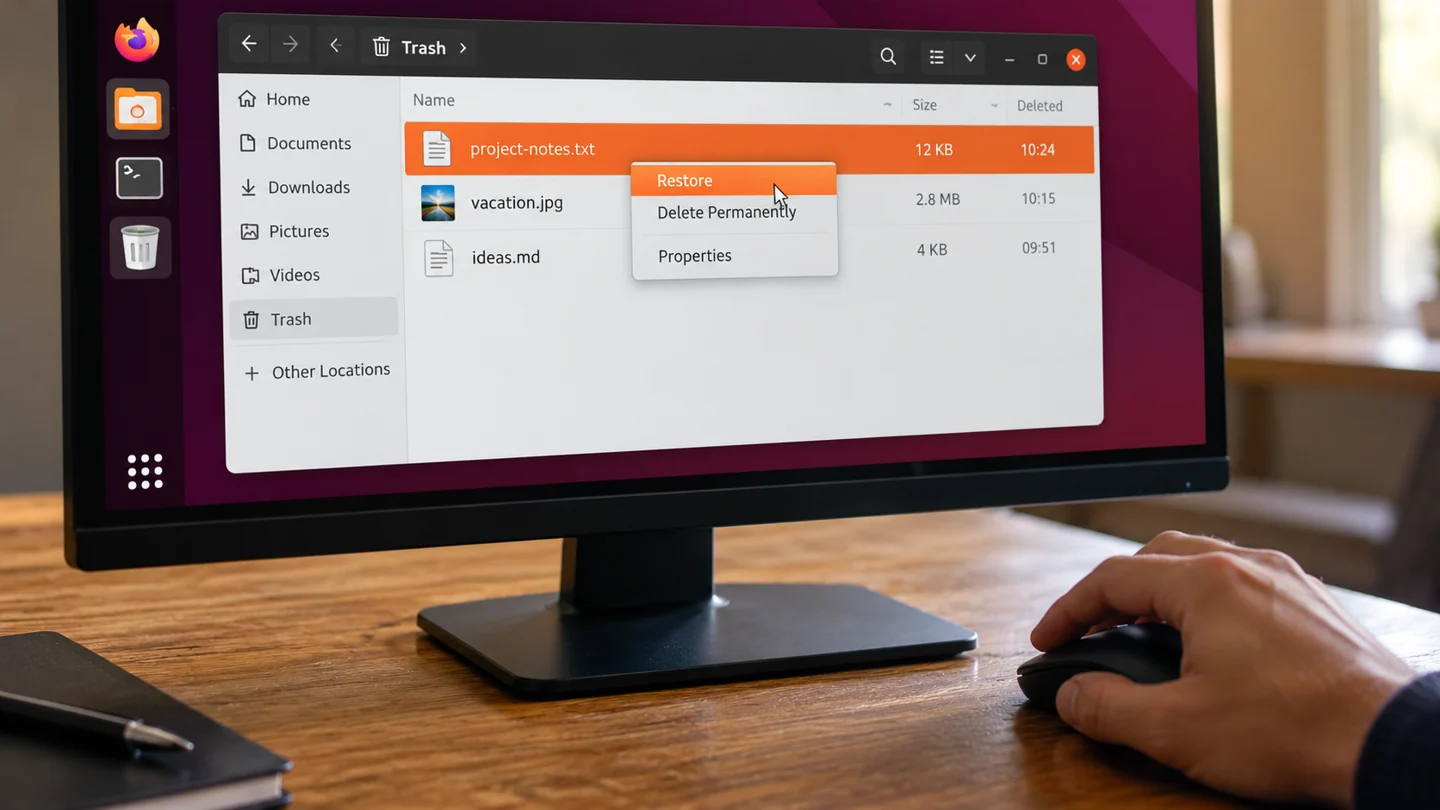
Look in Trash before assuming a file is permanently lost. A normal file-manager deletion and a permanent deletion do not have the same recovery path.
Understand the issue
Confirm the filename, original location and date. Do not empty Trash during the investigation. If the file was deleted through a command-line operation or another bypass, preserve the storage and check backups rather than expecting it to appear there.
Step-by-step checks
- Open Trash in Files.
- Find and inspect the intended item.
- Restore it and verify its content at the original location.
Need help with this issue?
Share your model and symptoms. Confirm availability and the quote before booking.
What the results mean
If the item is absent, investigate how deletion occurred and whether another backup exists.
| Stage | Action |
|---|---|
| Start | Open Trash in Files. |
| Compare | Find and inspect the intended item. |
| Next step | Restore it and verify its content at the original location. |
Match Linux instructions to your release and device
Record the distribution, release and relevant hardware before following a command from a tutorial. Ubuntu releases and desktop environments can expose different settings, and a command intended for another package system may not apply. Read what a command is expected to change before entering it.
Separate observation from modification. Reading a setting, listing a device or checking a log is different from installing packages, changing a repository or writing to a disk. For storage work, identify the exact device by model and capacity rather than relying on a letter or device name copied from an example. Preserve needed files before any operation that writes to storage.
Make one documented change and keep the output needed to evaluate it. Avoid piping an unfamiliar download directly into a privileged shell. If installation is involved, inspect proposed package additions, removals and replacements before accepting them. After the test, repeat the original task and check normal updates or device access. A successful command exit does not, on its own, prove the user-facing problem is solved.
Before you finish
- Distribution and release identified
- Read-only checks separated from changes
- Correct package source or device verified
- Command result compared with actual behaviour
Repair checklist
If you need help, send RJ Computers your device model and the results of the checks above. Explain what must be preserved before work starts, especially files that have no other copy.
- Confirm assessment charges and what the quote includes.
- Ask for approval before additional parts or destructive software changes.
- Test the original symptom at handover and keep the repair details.
Ready for an assessment?
Share your model and symptoms. Confirm availability and the quote before booking.
Frequently asked questions
Will every file deleted in Terminal appear in Trash?
No. Command-line deletion can bypass the file manager's Trash workflow.
What should I record before requesting help?
Record the full model, exact error or symptom, recent changes and what you already tried. Explain whether important files have a separate backup.
How do I arrange a repair assessment?
Call RJ Computers on +91 99715 24677 or use the WhatsApp booking button. Confirm availability, diagnostic fees and the scope of work before booking.
Conclusion
If the item is absent, investigate how deletion occurred and whether another backup exists.
Further reading: Official product guidance