Quick answer
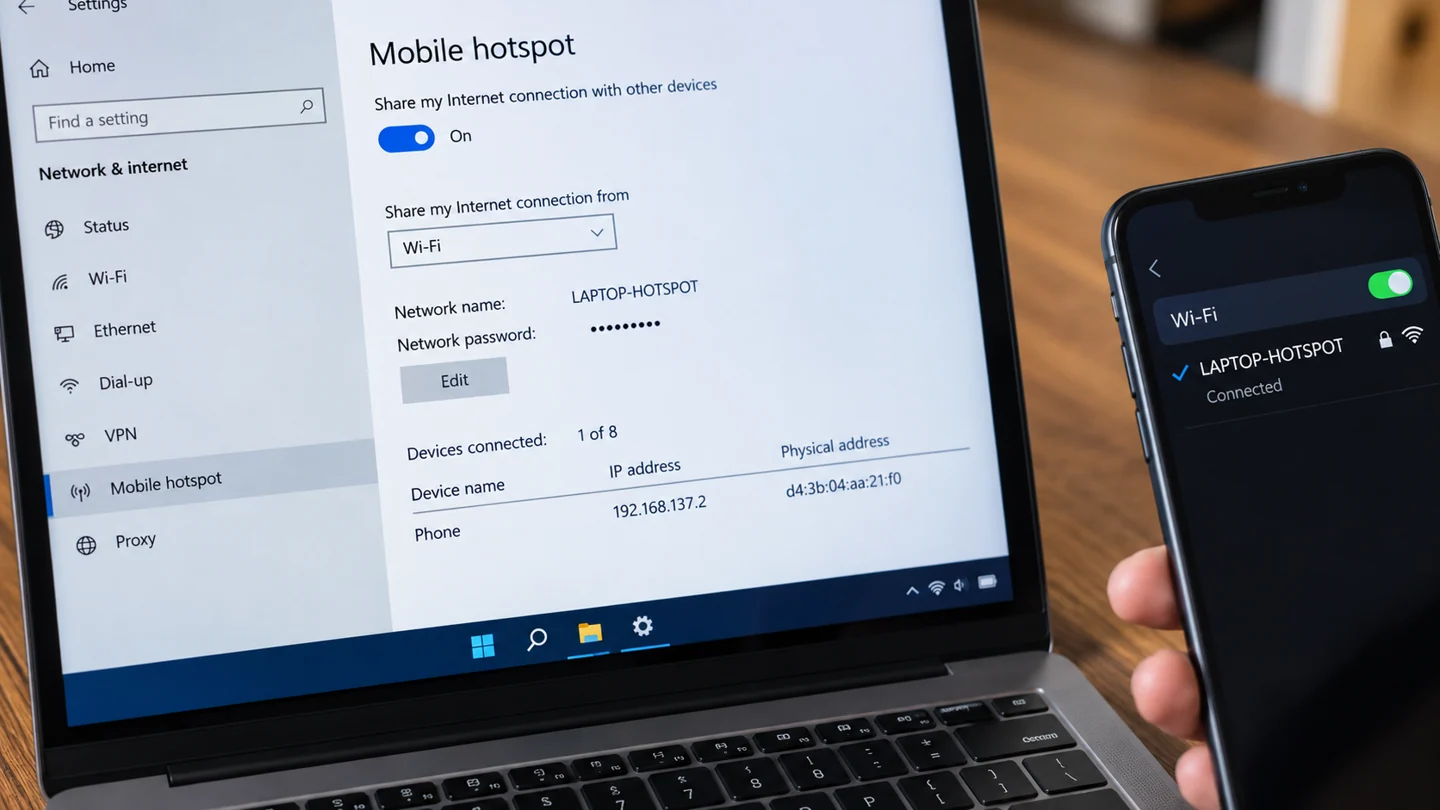
A Windows mobile hotspot shares an existing connection. Confirm the computer has working internet access before troubleshooting a device connected to its hotspot.
Understand the issue
Decide which connection should be shared and keep the hotspot password private. Test with one device first so you can distinguish setup from congestion or data limits. Remember that sharing a cellular connection uses its data allowance.
Step-by-step checks
- Confirm internet access on the Windows computer.
- Review Mobile hotspot settings and the selected connection.
- Connect one device and test a simple page.
Need help with this issue?
Share your model and symptoms. Confirm availability and the quote before booking.
What the results mean
A hotspot can connect another device locally while the upstream internet connection is unavailable. Test both stages.
| Stage | Action |
|---|---|
| Start | Confirm internet access on the Windows computer. |
| Compare | Review Mobile hotspot settings and the selected connection. |
| Next step | Connect one device and test a simple page. |
Find whether the problem follows the device or the network
Record the connection type, affected device and exact task that fails. A Wi-Fi signal shows a link to an access point, while internet access depends on additional equipment and services. One failed website or app does not prove the whole connection is unavailable.
Compare the same task on another device using the same network, then on the original device using another trusted connection where practical. Ensure a phone is not silently using mobile data during a Wi-Fi test. These comparisons help separate a device setting, router issue, provider outage or service-specific problem without changing every network option.
Preserve the information required to restore service before resets. Router settings, work VPNs, static addresses and printer connections can be disrupted by broad network changes. Use supported diagnostic tools and keep security protections in place. After a targeted correction, repeat the original task on the original network and check other required services such as printing or shared folders. Record which devices improved so a temporary workaround is not mistaken for a complete repair.
Before you finish
- Same task compared on two devices
- Mobile data excluded from Wi-Fi comparison
- Required network settings recorded before reset
- Original connection and local services retested
Repair checklist
If you need help, send RJ Computers your device model and the results of the checks above. Explain what must be preserved before work starts, especially files that have no other copy.
- Confirm assessment charges and what the quote includes.
- Ask for approval before additional parts or destructive software changes.
- Test the original symptom at handover and keep the repair details.
Ready for an assessment?
Share your model and symptoms. Confirm availability and the quote before booking.
Frequently asked questions
Does a hotspot create free internet access?
No. It shares an existing connection and may consume a limited data plan.
What should I record before requesting help?
Record the full model, exact error or symptom, recent changes and what you already tried. Explain whether important files have a separate backup.
How do I arrange a repair assessment?
Call RJ Computers on +91 99715 24677 or use the WhatsApp booking button. Confirm availability, diagnostic fees and the scope of work before booking.
Conclusion
A hotspot can connect another device locally while the upstream internet connection is unavailable. Test both stages. Keep a note of the result so a technician can continue from the evidence rather than repeat the same checks.
Further reading: Official guidance